Adding bookstands to classroom desks
Bookstands hold textbooks upright, but how much writing space remains in front? Using real classroom photographs, compare room for opening and turning pages, a teacher's position beside students, and storing stands between lessons.

Before you begin
- Place the bookstand, open textbook, and notebook on an actual desk together to check the writing area left in front.
- Check whether the stand blocks shared screens from a seated student's view or occupies the teacher's explaining space.
- Distinguish permanent and occasional bookstand seats, including storage locations in the furniture plan.
Writing space left after standing up the textbook
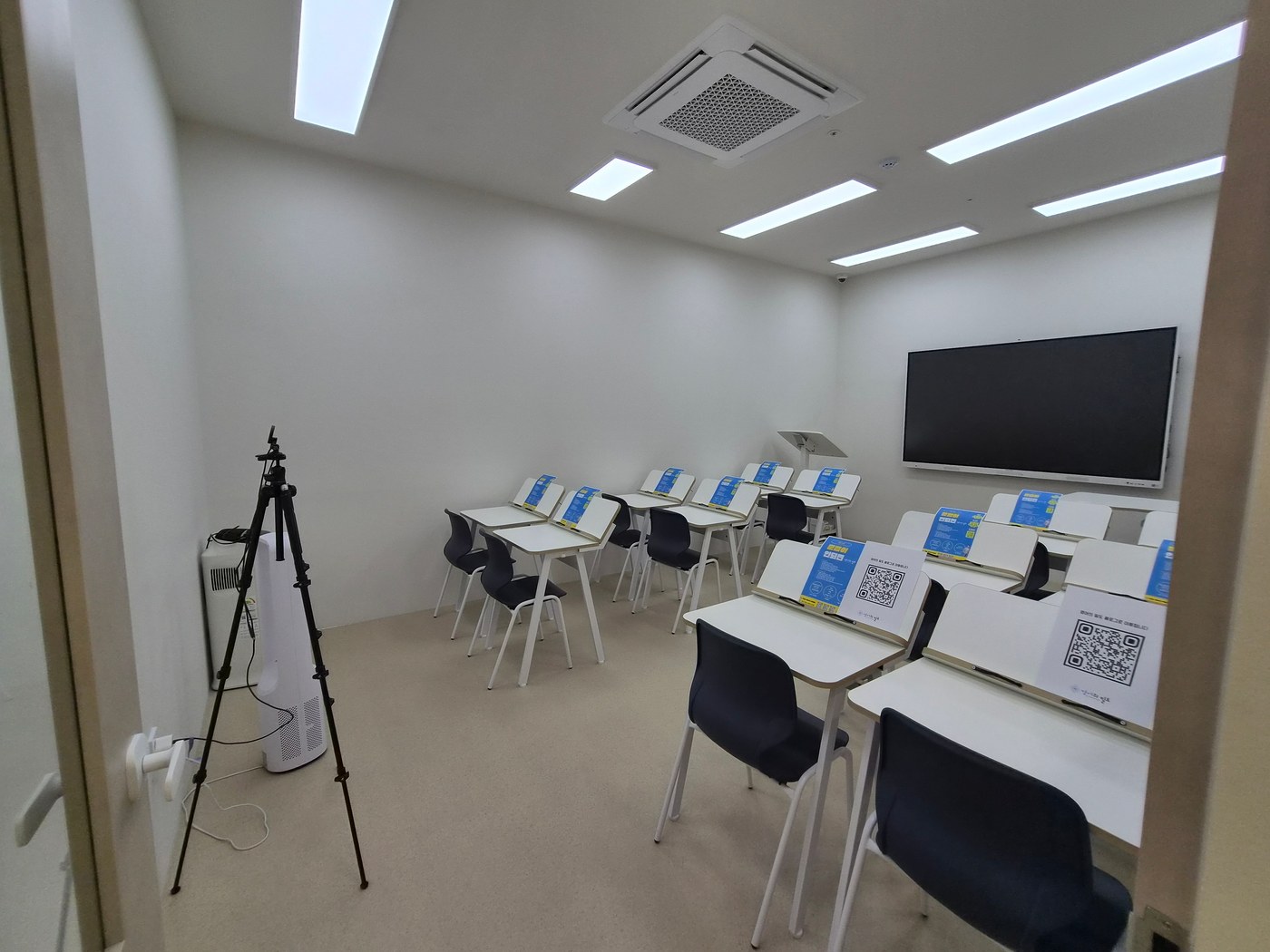
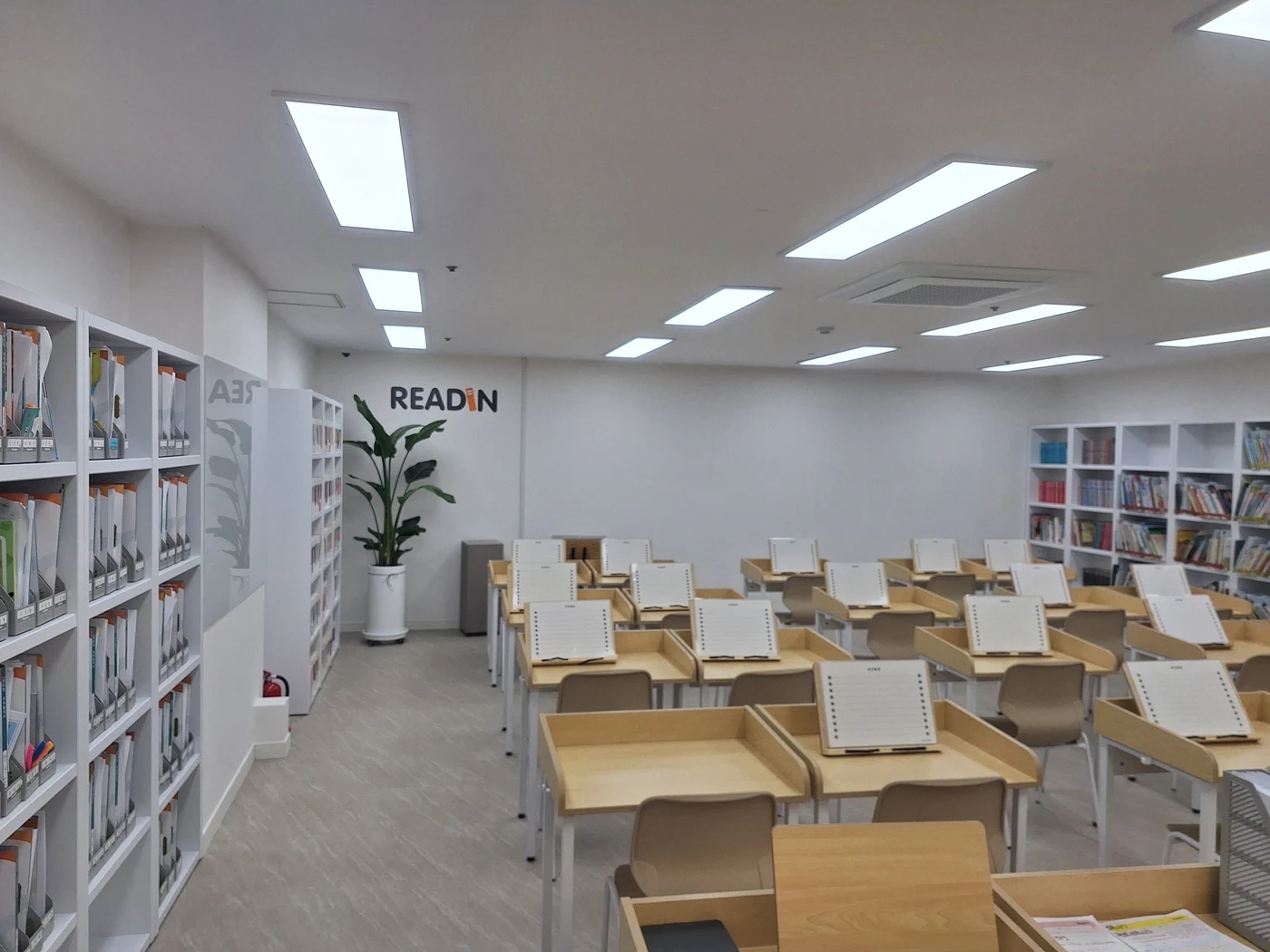
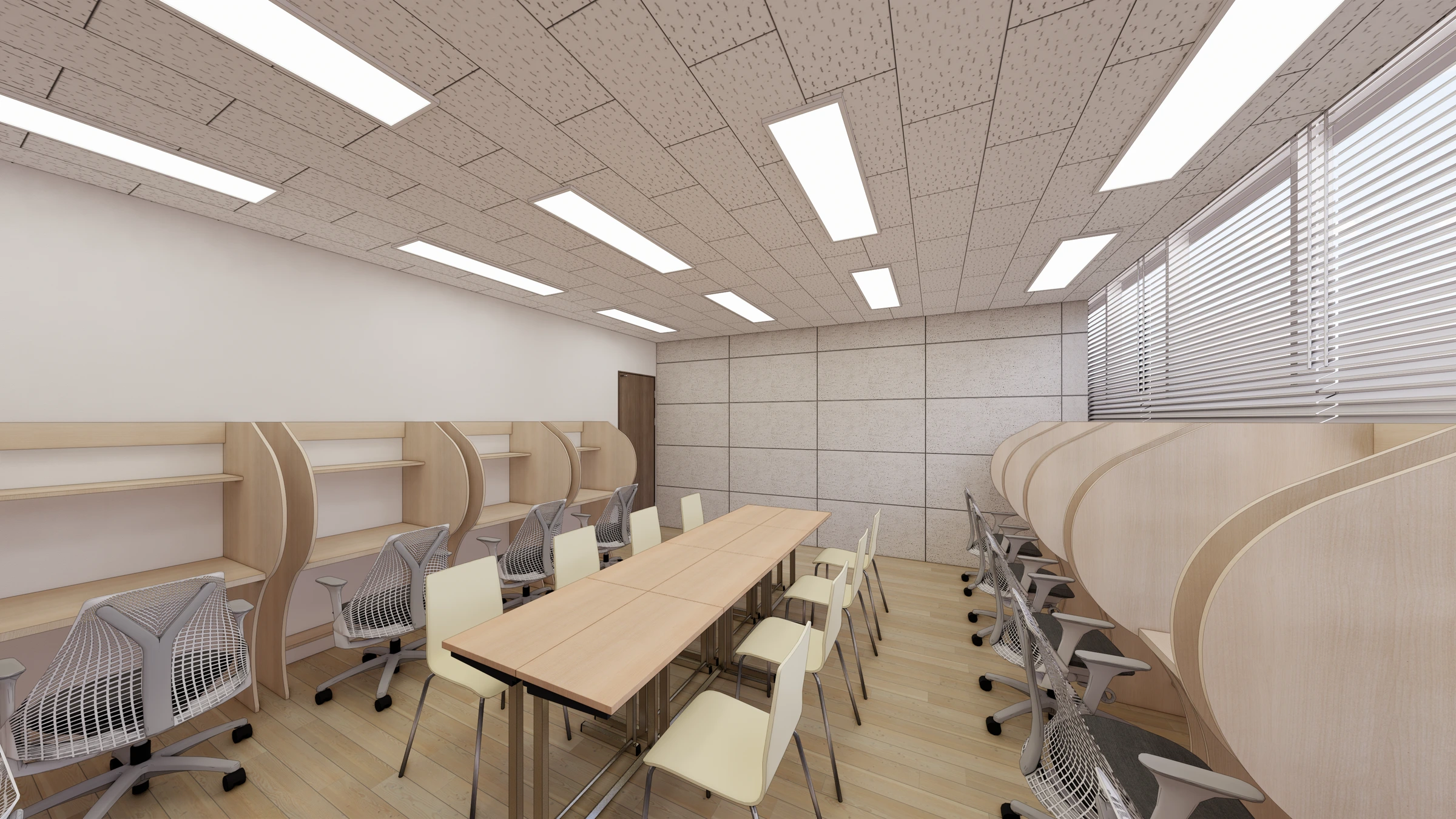
When adding a bookstand, measure more than the desk's overall depth. The important space is the remaining surface for a notebook and hands. The photograph shows an upright textbook support with a flat surface in front. To create a similar setup, test it with the actual workbooks and notebooks used in class.
A stand's outer size differs from the width occupied by an open book. If lessons use large textbooks or additional side materials, check overlap with desk edges and adjacent seats. A book may fit the support while its edges hit partitions. Compare central and offset positions to establish the writing area.
Distinguish reading from writing. Lessons requiring continuous answers in the workbook may involve repeatedly taking it off the stand. With a separate notebook, the textbook can remain upright while the front surface is used. Rather than assuming a universally convenient method, rehearse a real lesson using a desk setup.
Check hand space for turning pages. Test whether lower retaining parts cover text and whether thick books can remain open using the actual product. Photographs do not establish the stand's model or adjustments. When ordering, provide the intended books' sizes and thicknesses and confirm compatibility.
Test the chair alongside stand placement. With arms resting at the desk front, check whether the stand is so close that paper must shift sideways and whether a pencil case and eraser fit. Compare using the actual students and teaching tools without inventing required body-angle figures. Include desk or chair changes in the same sample test.
Quote new desks with integrated supports separately from freestanding bookstands added to existing desks. The former requires selecting desk and support sizes together; the latter starts with the surface available on existing furniture. For edge-clamped products, verify desktop thickness and underside compatibility. Similar appearance does not mean identical installation.
Before finalizing all desks, test a complete seat setup. Photograph the textbook upright, writing in a notebook, and the textbook laid flat. Approve the stand model, orientation, and actual remaining surface. Check the combination before separately selecting desk, chair, and stand and bringing them together only at the end.
Seats with permanent stands and seats with occasional stands
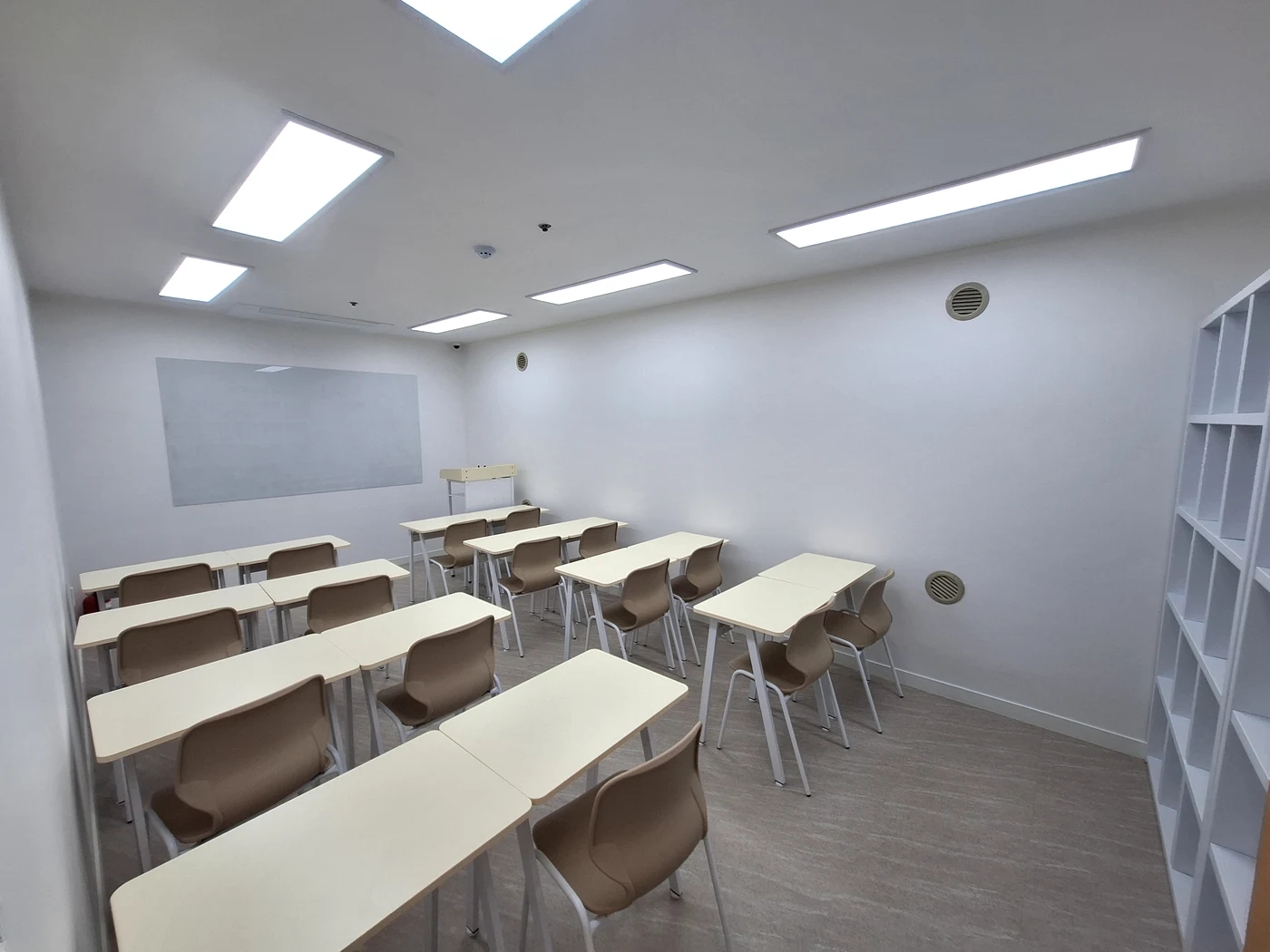
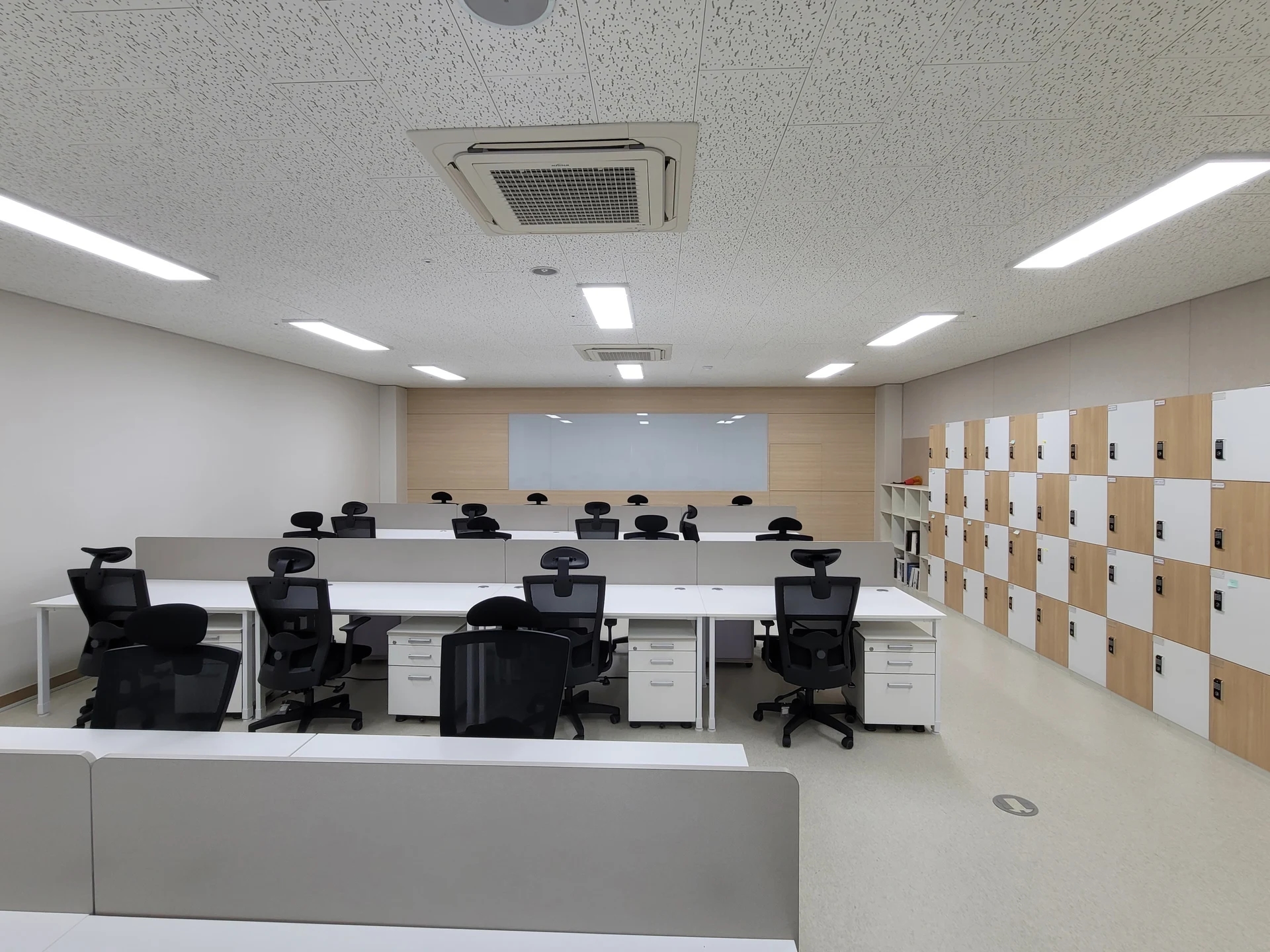
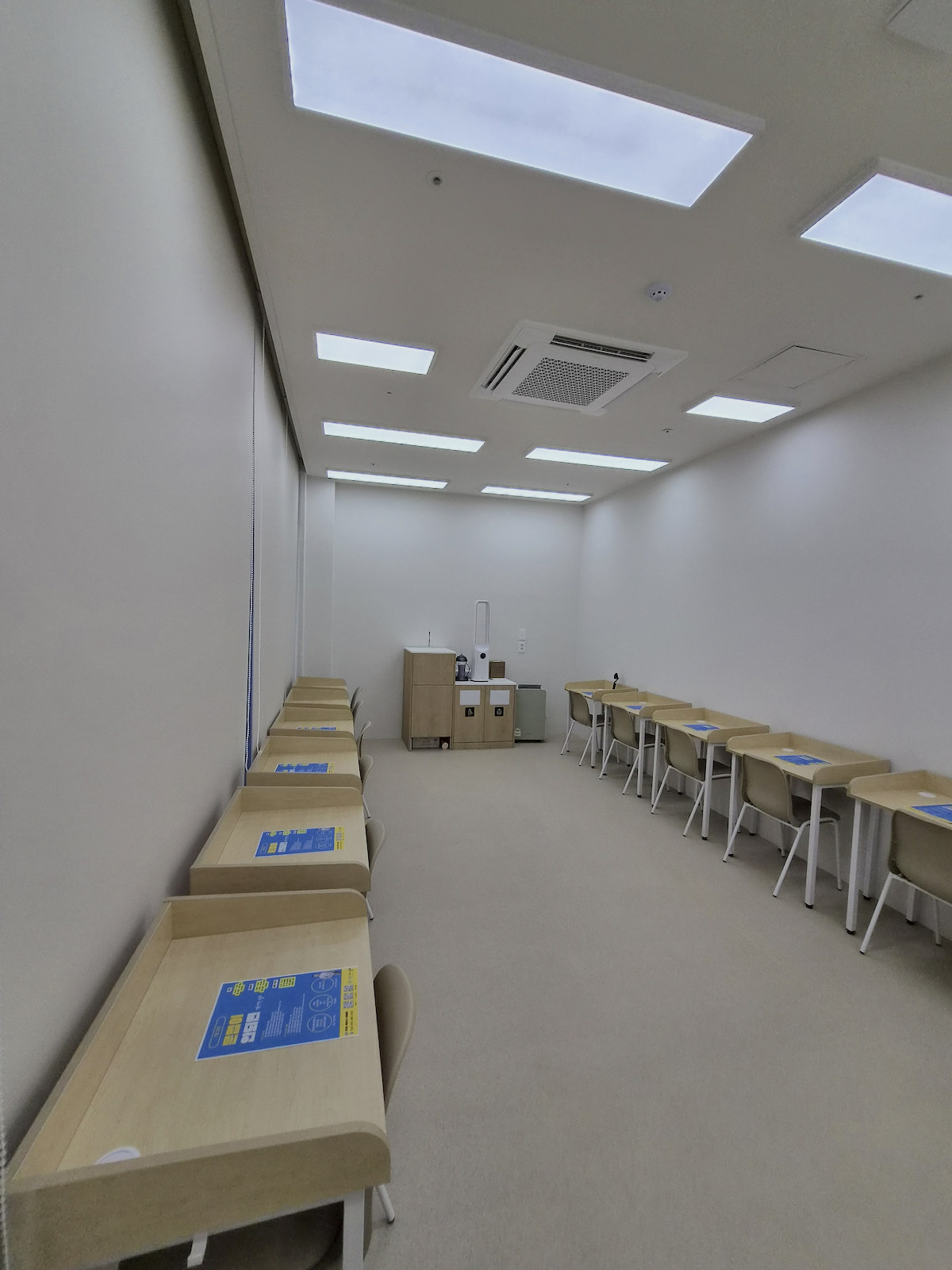
Before selecting furniture, decide whether stands remain at all seats or appear only when needed. The flat desks in the Gwanak classroom photograph help compare open-book work and passing materials sideways. Consider how clear desktops must be after a lesson when adding stands. The photograph does not establish that academy's actual teaching methods.
Permanent stands may suit continuous individual reading. Where group work or large sheets alternate with reading, compare stands brought out only when needed. Consider who retrieves and returns them, not only how often they move. Window-side individual seats and central teaching seats can use different arrangements in the same room.
Cleared desktops require a place to store stands. Confirm folding, stacking, and stored dimensions using product information. Cabinets need room for hands and door movement, not just the stand itself. Temporarily leaning stands beneath desks or in student routes does not replace a storage plan.
For lessons using a shared board or screen, look forward with the stand in place. Check rear and edge seats as well as the front. If tall books or supports make students repeatedly lean sideways, compare repositioning or lowering them during that activity. Bookstand selection affects more than the individual seat.
Test a teacher pointing to material beside a student. If tall partitions flank the stand, check the approach direction and room to point between book and notebook. Wall-facing individual desks and forward-facing classroom desks need different teaching positions. Check whether another chair would need to occupy the aisle to view the book.
Compare replacing all desks with adding stands under the same teaching conditions. If retaining furniture, identify seats with insufficient surface. If buying furniture, check related cabinet or relocation needs. Do not compare product price multiplied by quantity against a different quote that includes installation, transport, and clearing existing furniture.
Finish by rehearsing the sequence from lesson start to tidying: take out books and notebooks, turn pages, listen to explanations, and store the stand. This reveals specific surface shortages or awkward lesson transitions. Record the tested combination and storage location before confirming seat quantities.
Ask us about your interior project
We can discuss a quote and design suited to the space you are planning.
Request a free consultation